Add Watermark on Photos
Simply Entertaining Apps

4.8 stars189,496 reviews5,000,000+Free
PhotographyEveryoneVersion 6.3Updated 9/20/2025, 12:01:23 PM
Open in StoreTry it for Free!
Watermark your photos, right from your phone. Create and Apply Fully customizable watermarks (We aren't kidding).
Watermark your content to Protect from unauthorized use (Copyright) OR Apply digital signature to create your Brand.
Add watermark on photos provides a complete watermarking solution right on your phone
FEATURES
- Create and Save Watermarks
Save your watermarks as templates. Choose from preset templates or use your own logo.
- Batch Processing
Watermark hundreds of images at once.
- Preview & Adjust
Preview Photos before applying Watermarks, Change Patterns, and position style on individual photos before processing in batch.
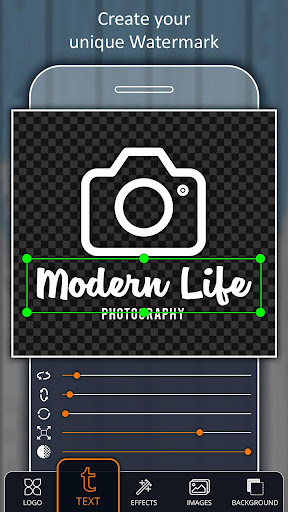
- Custom Text Watermarks
Create fully customized watermarks in seconds. Edit text, color, font, size, rotation, background and more.
- Watermark Patterns
Choose one of our pre-built pattern to quickly add style to your watermark.
- Use Your Company Logo Or Create One
Watermarks can also be imported in the form of an image such as a company logo
- Copyright Symbols
Make your watermark official with a copyright, trademark or a registered symbol.
- Pixel-perfect Positioning
Position your watermarks with precision. All photos in batch are updated simultaneously.
- Fonts Gallore
Choose from hundreds of integrated fonts
- Automatic Tiling
For ultimate protection, your custom watermarks can be automatically tiled across the whole photo.
- Cross Pattern
For ultimate protection, your custom watermarks can be crossed with your watermark in the middle.
- Digital Signature
Digitally sign your pictures and create your own brand.
Start protecting your content today!
Watermark your photos, right from your phone. Create and Apply Fully customizable watermarks (We aren't kidding).
Watermark your content to Protect from unauthorized use (Copyright) OR Apply digital signature to create your Brand.
Add watermark on photos provides a complete watermarking solution right on your phone
FEATURES
- Create and Save Watermarks
Save your watermarks as templates. Choose from preset templates or use your own logo.
- Batch Processing
Watermark hundreds of images at once.
- Preview & Adjust
Preview Photos before applying Watermarks, Change Patterns, and position style on individual photos before processing in batch.
- Custom Text Watermarks
Create fully customized watermarks in seconds. Edit text, color, font, size, rotation, background and more.
- Watermark Patterns
Choose one of our pre-built pattern to quickly add style to your watermark.
- Use Your Company Logo Or Create One
Watermarks can also be imported in the form of an image such as a company logo
- Copyright Symbols
Make your watermark official with a copyright, trademark or a registered symbol.
- Pixel-perfect Positioning
Position your watermarks with precision. All photos in batch are updated simultaneously.
- Fonts Gallore
Choose from hundreds of integrated fonts
- Automatic Tiling
For ultimate protection, your custom watermarks can be automatically tiled across the whole photo.
- Cross Pattern
For ultimate protection, your custom watermarks can be crossed with your watermark in the middle.
- Digital Signature
Digitally sign your pictures and create your own brand.
Start protecting your content today!
Developer email
Simplyentertaining1@gmail.com
Developer website
https://www.simplyentertainingapps.comReleased
Jan 17, 2018
Current version
6.3
Android version
7.0
Reviews & Ratings
4.8
out of 5
5
4
3
2
1
🌟 Loved by users
189,496 reviewsScreenshots