Sleep Timer (Turn music off)
CARECON GmbH

4.7 stars161,810 reviews5,000,000+Free
Music & AudioEveryoneVersion 25.11Updated 11/6/2025, 9:16:05 PM
Open in StoreSleep Timer lets you fall asleep to your favorite music. You simply start your music, and then set the countdown timer. At the end of the countdown, Sleep Timer softly fades your music out and stops it. Allowing you to get your precious sleep and stops your battery from draining.
Listen to music while falling asleep
Sleep Timer softly lowers the volume and then turns your music off. It works just like a Sleep Timer on the stereo or TV.
Use your favorite music player or even YouTube!
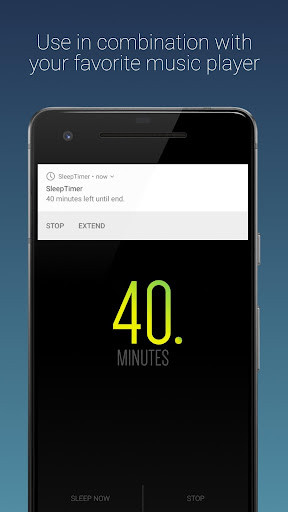
Works with Google Play Music, TuneIn Radio, Spotify, YouTube and many many more. To verify whether it works with your favorite player, just download the app and try it out.
Select how long you want the music to play
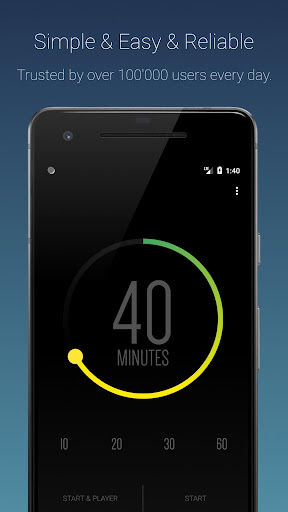
Our intuitive and beautiful user interface allows you to effortlessly set the duration of the timer and start it.
Create presets for your frequently used timers
With our presets, you can switch between standard timers with just one tap
Prevent your battery from draining
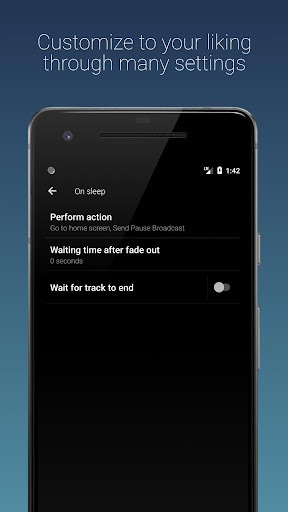
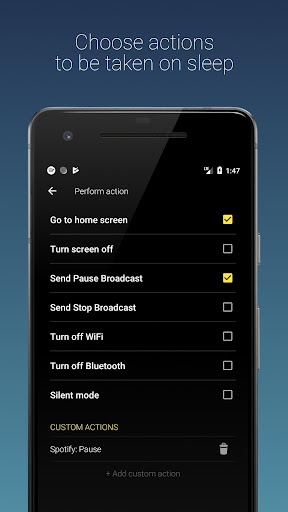
At the end of the timer, the music is stopped* to prevent your phone from playing music all night and draining the battery.
*For some apps, pausing the music does not work. In that case the phone volume will set to mute as a last resort. In this case, the music will continue playing.
Shake to extend timer
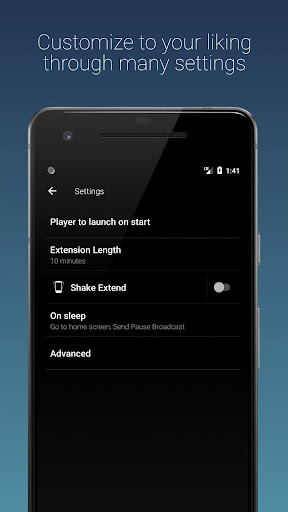
Sometimes falling asleep is not that easy. Our shake to extend allows you to shake the phone to extend the duration of the timer, without you having to unlock your phone.
Premium version (Available via in-app)
Ad-free
Beautiful Widget for your homescreen
Please try it with your favorite player before buying.
Permissions
This application may request some permissions to work, such as:
- android.permission.READ_EXTERNAL_STORAGE : Using custom notification sounds for Shake Extend notification.
- android.permission.BIND_DEVICE_ADMIN : This app uses the Device Administrator permission. This is required for the the "Turn screen off" feature. Will only be requested upon enabling the feature and will be removed as soon as the feature is disabled. If you want to uninstall while having the feature selected, open this application, click on [Menu] -> [Settings] -> [Uninstall].
You are welcome to join our beta forum, if you are interested in trying the newest Sleep Timer features before they are officially released. https://plus.google.com/communities/103722691842623837120
Developed by Patrick Boos - http://pboos.ch
Designed by Nordic Usability - http://nordicusability.com
Listen to music while falling asleep
Sleep Timer softly lowers the volume and then turns your music off. It works just like a Sleep Timer on the stereo or TV.
Use your favorite music player or even YouTube!
Works with Google Play Music, TuneIn Radio, Spotify, YouTube and many many more. To verify whether it works with your favorite player, just download the app and try it out.
Select how long you want the music to play
Our intuitive and beautiful user interface allows you to effortlessly set the duration of the timer and start it.
Create presets for your frequently used timers
With our presets, you can switch between standard timers with just one tap
Prevent your battery from draining
At the end of the timer, the music is stopped* to prevent your phone from playing music all night and draining the battery.
*For some apps, pausing the music does not work. In that case the phone volume will set to mute as a last resort. In this case, the music will continue playing.
Shake to extend timer
Sometimes falling asleep is not that easy. Our shake to extend allows you to shake the phone to extend the duration of the timer, without you having to unlock your phone.
Premium version (Available via in-app)
Ad-free
Beautiful Widget for your homescreen
Please try it with your favorite player before buying.
Permissions
This application may request some permissions to work, such as:
- android.permission.READ_EXTERNAL_STORAGE : Using custom notification sounds for Shake Extend notification.
- android.permission.BIND_DEVICE_ADMIN : This app uses the Device Administrator permission. This is required for the the "Turn screen off" feature. Will only be requested upon enabling the feature and will be removed as soon as the feature is disabled. If you want to uninstall while having the feature selected, open this application, click on [Menu] -> [Settings] -> [Uninstall].
You are welcome to join our beta forum, if you are interested in trying the newest Sleep Timer features before they are officially released. https://plus.google.com/communities/103722691842623837120
Developed by Patrick Boos - http://pboos.ch
Designed by Nordic Usability - http://nordicusability.com
Developer email
helpdesk@carecon.com
Developer website
https://sleeptimer.appCurrent version
25.11
Android version
7.0
Reviews & Ratings
4.7
out of 5
5
4
3
2
1
🌟 Loved by users
161,810 reviewsScreenshots