3C All-in-One Toolbox Pro key
3c

4.7 stars3,429 reviews50,000+$11.99
ToolsEveryoneVersion 1.3.0Updated 11/8/2025, 1:39:26 PM
Open in Storeo┳┳ · Your key to unlocking the full potential of 3C All-in-One Toolbox!
Since version 1.2.0, there is no app icon, but you can open the unlock popup from Play Store or app's OS settings page.
Please make sure to install 3C All-in-One Toolbox from Play Store.
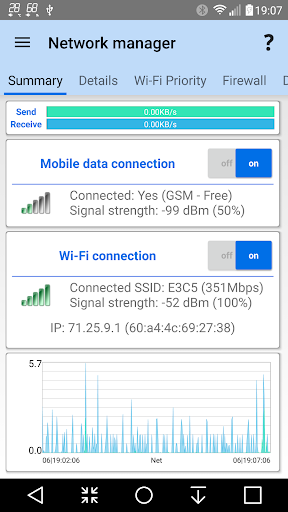
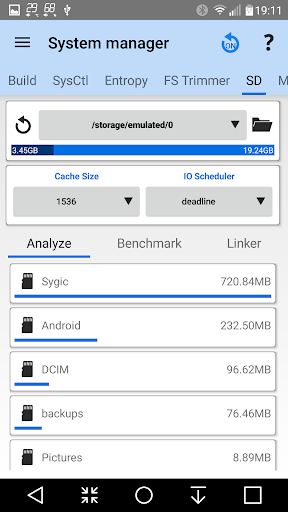
Unlocks the following pro features:
★ Remove all ads
★ Complete UI theming and customizations
★ Full control of recording interval, widgets and notification refresh rates
★ Add home-screen shortcut to apps features
★ Hide any tabs or any menu item
★ Edit main screen buttons up-to 4x6 grid
★ Multi/auto-select and sort apps
★ Auto backup and new app notification
★ Adding more than one shortcut or toggle to Android quick settings
★ Recording items and options
★ Create multiple schedules, watchers and profiles
★ Automatic battery markers
★ Manage multiple batteries
★ Manage multiple chargers
★ Calculate % using mV data (useful for extended batteries)
★ Full battery and kernel optimizations
★ Automatic boosting of apps start and DB accesses
★ Automatic partition trimming
★ Build.prop presets
★ Automatic system apps clean-up (integration into ROM)
★ Notification shortcut to access any features from status notification
★ Enabling more than one notification pack
★ Add multiple line indicators
★ Full 2x1 data widgets customization
★ Full 5x2 - 2x1 (6 sizes) graphs widgets customization
Since version 1.2.0, there is no app icon, but you can open the unlock popup from Play Store or app's OS settings page.
Please make sure to install 3C All-in-One Toolbox from Play Store.
Unlocks the following pro features:
★ Remove all ads
★ Complete UI theming and customizations
★ Full control of recording interval, widgets and notification refresh rates
★ Add home-screen shortcut to apps features
★ Hide any tabs or any menu item
★ Edit main screen buttons up-to 4x6 grid
★ Multi/auto-select and sort apps
★ Auto backup and new app notification
★ Adding more than one shortcut or toggle to Android quick settings
★ Recording items and options
★ Create multiple schedules, watchers and profiles
★ Automatic battery markers
★ Manage multiple batteries
★ Manage multiple chargers
★ Calculate % using mV data (useful for extended batteries)
★ Full battery and kernel optimizations
★ Automatic boosting of apps start and DB accesses
★ Automatic partition trimming
★ Build.prop presets
★ Automatic system apps clean-up (integration into ROM)
★ Notification shortcut to access any features from status notification
★ Enabling more than one notification pack
★ Add multiple line indicators
★ Full 2x1 data widgets customization
★ Full 5x2 - 2x1 (6 sizes) graphs widgets customization
Developer email
3c@3c71.com
Developer website
https://3c71.com/Released
Sep 27, 2012
Current version
1.3.0
Android version
6.0
Reviews & Ratings
4.7
out of 5
5
4
3
2
1
🌟 Loved by users
3,429 reviewsScreenshots