Vendas, Estoque, Clientes
App Koop Vendas - Gestão para sua empresa

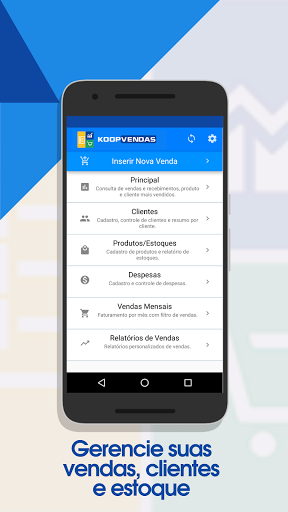
With Koop Sales you can monitor and manage your entire business, register customers and products/services, and have inventory control in the palm of your hand. Print receipts and vouchers and documents in just a few clicks. Get reports and summaries of your company's operations and processes and much more!
Stock Control:
- Registration of products/services with photo and descriptions;
- Inventory always updated;
- Inventory report for replacement;
Custom Summaries and Reports
- Daily, monthly and annual monitoring of sales, orders, budgets, received, to receive and pending deliveries;
- Analysis of the profitability of your sales, orders and customers;
- Create categories to analyze your company's profitability and performance;
- Best selling products/services;
- Sales to be charged;
Client Management:
- Customer registration with photo, contact and address;
- History and sales summary of your customers;
- Listing with the debt amounts of each customer individually;
- Control of pending charges;
- Report of best-selling products/services by customer;
Koop Sales is part of your team:
- App integrated with the entire sales team;
- User management;
- Sales reports by seller;
- Permission to access data in a personalized way;
Facilities designed for your needs:
- Data saved securely in the cloud;
- Offline access;
- Export and share sales, orders and quotes;
- Exporting and sharing receipts;
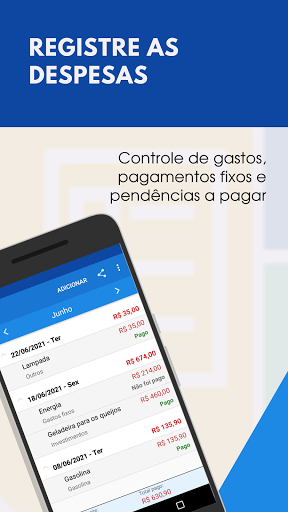
- Expense management;
WEB Version:
- Koop Sales Web integrated, for computer access and with tools that allow greater customization in your account!
Stock Control:
- Registration of products/services with photo and descriptions;
- Inventory always updated;
- Inventory report for replacement;
Custom Summaries and Reports
- Daily, monthly and annual monitoring of sales, orders, budgets, received, to receive and pending deliveries;
- Analysis of the profitability of your sales, orders and customers;
- Create categories to analyze your company's profitability and performance;
- Best selling products/services;
- Sales to be charged;
Client Management:
- Customer registration with photo, contact and address;
- History and sales summary of your customers;
- Listing with the debt amounts of each customer individually;
- Control of pending charges;
- Report of best-selling products/services by customer;
Koop Sales is part of your team:
- App integrated with the entire sales team;
- User management;
- Sales reports by seller;
- Permission to access data in a personalized way;
Facilities designed for your needs:
- Data saved securely in the cloud;
- Offline access;
- Export and share sales, orders and quotes;
- Exporting and sharing receipts;
- Expense management;
WEB Version:
- Koop Sales Web integrated, for computer access and with tools that allow greater customization in your account!
Developer email
contato@koopvendas.com.br
Developer website
http://www.koopvendas.com.brReleased
Apr 21, 2018
Current version
1.0.168
Android version
5.0
Screenshots