Document Reader & PDF Editor
QR Code Scanner.

4.6 stars432,563 reviews100,000,000+Free
ProductivityEveryoneVersion 1.3.3Updated 5/6/2026, 6:12:06 PM
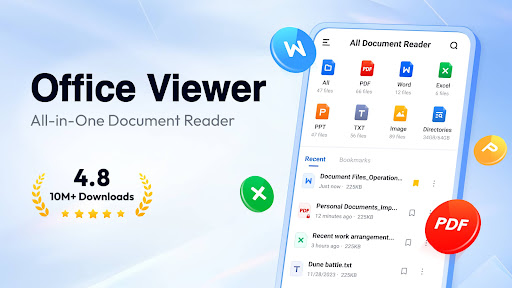
Open in StoreDocument Reader is an all-in-one file viewer that helps you read and manage all formats of office files easily. PDF, WORD, EXCEL, PPT, TXT, etc. all supported.
It's very easy to use, and compatible with all office formats. Just open it, you'll see all your documents well organized in folders for quick search and view. Open Word, read PDF, manage all files in one place easily!
Why choose Document Reader?
👏 Support all formats - PDF, DOC, DOCX, XLS, XLXS, PPT, TXT, PNG, JPG, RTF, etc.
👏 All document viewer/office viewer
👏 Read all documents anywhere, anytime with just one click
👏 Simple and clear file lists, easy to search and manage files
👏 Bookmark documents for quick access
👏 No internet required, read documents offline
Download this simple, fast, lightweight all document reader now, and you'll get a PDF reader, Word/Excel viewer, PPT viewer, all in one!
Document Reader can work as:
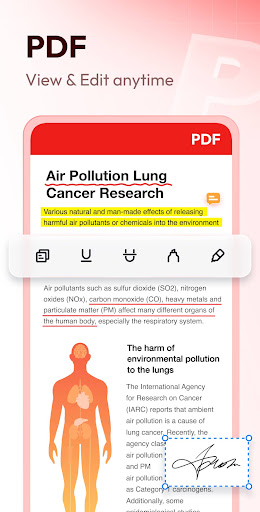
📕 PDF Reader/PDF Viewer
- Zoom in/zoom out pages while reading
- Jump to the page you want directly
- Switch from landscape and portrait reading mode freely
- Easily print and share PDFs
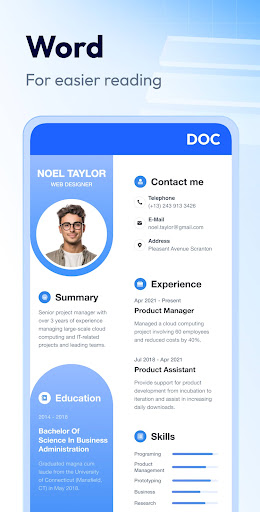
📘 Word Reader
- Handy document viewer for all DOC, DOCX, and DOCS files
- Easily find your target file through quick search feature
- Sort all documents by file path, size, name, last edit date, etc.
- Simple and elegant interface
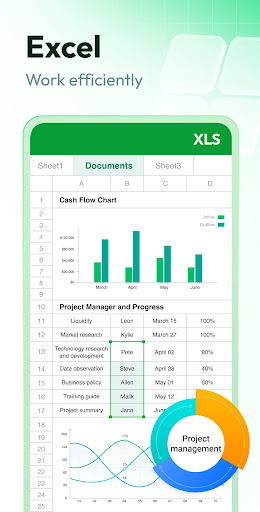
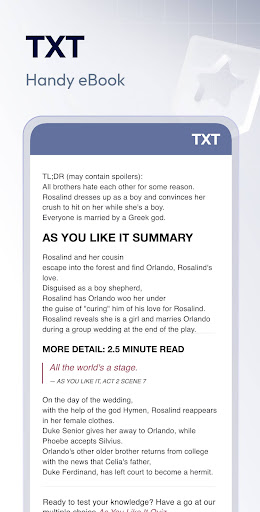
📈 Excel/Text Viewer
- Quickly open XLS, XLSX, TXT files and search out the data you want
- A simple and straightforward way to read spreadsheets on your device
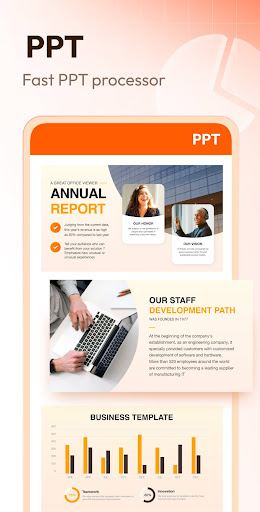
🔍 PPT Viewer
- Viewing PPT, PPTX, PPS, PPSX files has never been easier
- Fast and stable performance, HD quality
➡️ More features on the way…
✔️ Image to PDF converter
✔️ Edit documents freely
✔️ Support more document formats, RAR, ZIP, MOBI, HTML, etc.
✔️ Night mode
✔️ Search text within documents
…
Try Document Reader now and you can read, edit and manage documents in all formats on the go!
Permission Needed:
To read and edit files on your device, users with Android 11 or higher need to grant the MANAGE_EXTERNAL_STORAGE permission. Rest assured, this permission will never be used for any other purpose.
Thank you for choosing Document Reader. 💗 We welcome all feedback and suggestions. If you have any questions, don't hesitate to contact us at allreaderappfeedback@gmail.com.
It's very easy to use, and compatible with all office formats. Just open it, you'll see all your documents well organized in folders for quick search and view. Open Word, read PDF, manage all files in one place easily!
Why choose Document Reader?
👏 Support all formats - PDF, DOC, DOCX, XLS, XLXS, PPT, TXT, PNG, JPG, RTF, etc.
👏 All document viewer/office viewer
👏 Read all documents anywhere, anytime with just one click
👏 Simple and clear file lists, easy to search and manage files
👏 Bookmark documents for quick access
👏 No internet required, read documents offline
Download this simple, fast, lightweight all document reader now, and you'll get a PDF reader, Word/Excel viewer, PPT viewer, all in one!
Document Reader can work as:
📕 PDF Reader/PDF Viewer
- Zoom in/zoom out pages while reading
- Jump to the page you want directly
- Switch from landscape and portrait reading mode freely
- Easily print and share PDFs
📘 Word Reader
- Handy document viewer for all DOC, DOCX, and DOCS files
- Easily find your target file through quick search feature
- Sort all documents by file path, size, name, last edit date, etc.
- Simple and elegant interface
📈 Excel/Text Viewer
- Quickly open XLS, XLSX, TXT files and search out the data you want
- A simple and straightforward way to read spreadsheets on your device
🔍 PPT Viewer
- Viewing PPT, PPTX, PPS, PPSX files has never been easier
- Fast and stable performance, HD quality
➡️ More features on the way…
✔️ Image to PDF converter
✔️ Edit documents freely
✔️ Support more document formats, RAR, ZIP, MOBI, HTML, etc.
✔️ Night mode
✔️ Search text within documents
…
Try Document Reader now and you can read, edit and manage documents in all formats on the go!
Permission Needed:
To read and edit files on your device, users with Android 11 or higher need to grant the MANAGE_EXTERNAL_STORAGE permission. Rest assured, this permission will never be used for any other purpose.
Thank you for choosing Document Reader. 💗 We welcome all feedback and suggestions. If you have any questions, don't hesitate to contact us at allreaderappfeedback@gmail.com.
Developer email
support@deepthought.industries
Developer website
https://alldocreader.deepthought.industries/Released
Jul 29, 2022
Current version
1.3.3
Android version
6.0
Reviews & Ratings
4.6
out of 5
5
4
3
2
1
🌟 Loved by users
432,563 reviewsScreenshots